
✦ Built 100% by AI — code, UI, even this page
Fold your drives
into one P:.
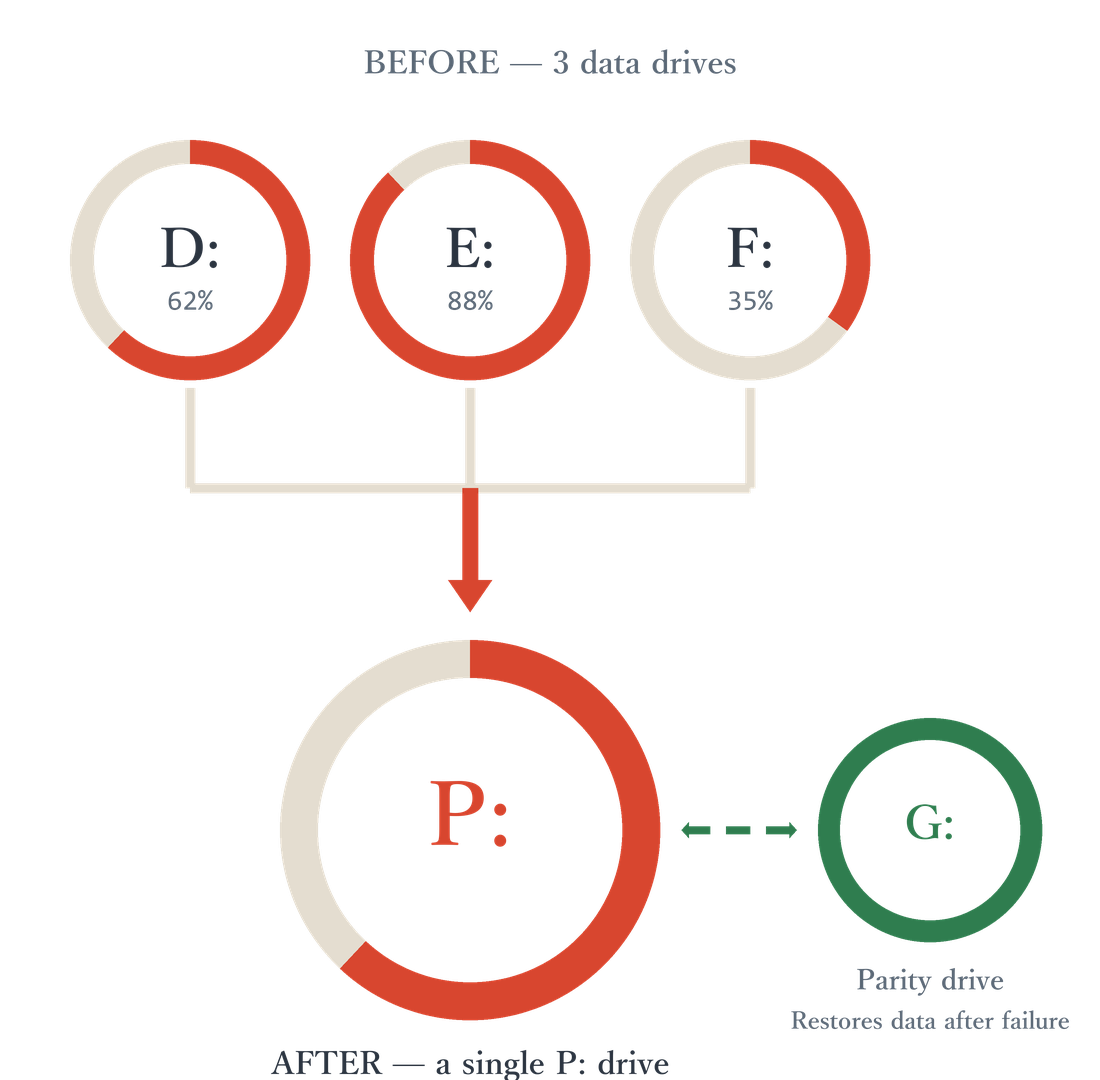
OrizuruParity pools your scattered hard drives into a single P: drive and guards them against failure with SnapRAID parity. If one drive dies, your data comes back.
Please read before buying — this product is sold with no support and no refunds. Always verify it works in your environment with the free 30-day trial.
Built entirely by AI
The code, the UI, the documentation, and this page — every line and every word was produced by AI. All a human did was ask.
The software
≈ 29,000 lines. The drive-pool FSD, SnapRAID integration, and WinUI 3 GUI were designed and implemented by AI.
Quality control
Code reviews, testing, and known-limitations documentation are all handled by AI.
This page
Design and copy produced by AI. AI presented three design proposals, and a human picked one.
Three promises
One P: for everything
Pool your NTFS drives into a single P: drive. Member drives are hidden automatically — day to day, you only think about P:.
When it breaks, it comes back
SnapRAID parity protects every drive from a single failure. Recovery is one snapraid fix from the GUI.
$7, once
One-time purchase, no subscription, no extra charges. Try every feature free for 30 days first.
Does this sound familiar?
Drives scattered everywhere
As HDDs and SSDs pile up, it gets harder to remember what you saved where.
Wasted capacity
One drive is full while another sits empty. There is no easy way to pool and use that space efficiently.
One failure, total loss
When a single drive dies, the data on it is gone for good — and keeping manual backups is costly and tedious.
How to fold — three steps
Like a piece of origami, it takes three folds.
Add drives
Pick the drives you want in the pool. Member drives are hidden from Explorer automatically, so you only ever think about P:.
Sync parity
At the first sync, the largest drive is automatically selected as the parity drive. SnapRAID syncs and protects your data.
Use the P: drive
Keep every file on P:. If a drive fails, your data can be recovered from parity.
Features
Drive pooling
Merge multiple NTFS drives into a single P: drive and work from just one place.
Parity protection
SnapRAID sync, scrub, and fix. At the first sync, the largest drive is automatically selected as the parity drive (manual selection also available).
High-water placement
New files are placed automatically on the drive with the most free space.
Hidden member drives
Pool member drives are hidden in Explorer to prevent accidental changes.
Protected metadata
OrizuruParity metadata folders are hidden and ACL-protected (SYSTEM / administrators only).
Folder split rules
Control placement per folder level to keep different kinds of data separated.
Recovery from failure
Restore lost data from parity with snapraid fix when a drive fails.
Japanese / English UI
Switch UI languages and stay in the system tray, out of your way.
How it compares
How OrizuruParity differs from the popular ways to pool drives together with SnapRAID.
| OrizuruParity This product | mergerfs + SnapRAID The classic Linux stack | StableBit DrivePool + SnapRAID Commercial Windows pooler | |
|---|---|---|---|
| OS | Native Windows 10 / 11 | Linux (on Windows, requires WSL or a VM) | Windows 10 / 11 |
| Protection | Parity (SnapRAID integrated into the GUI) | Parity (SnapRAID operated separately) | Folder duplication (needs 2×+ capacity); parity via separately operated SnapRAID |
| Capacity efficiency | One parity drive protects several data drives | Same parity approach, but set up and run by hand | Duplication needs 2×+ the data capacity |
| Sync / scrub / fix operation | Run from the GUI | CLI plus your own scheduler | Separate tool, operated by yourself |
| Automatic parity drive selection | Yes (largest at first sync) | Manual | Manual |
| Japanese UI | Yes (Japanese / English) | — (English docs) | — (English only) |
| Price | $7 (tax included), one-time | Free (open source, DIY) | Paid license (sold separately) |
Comparison as of August 2026. Specifications of each software may change over time.
The actual screens
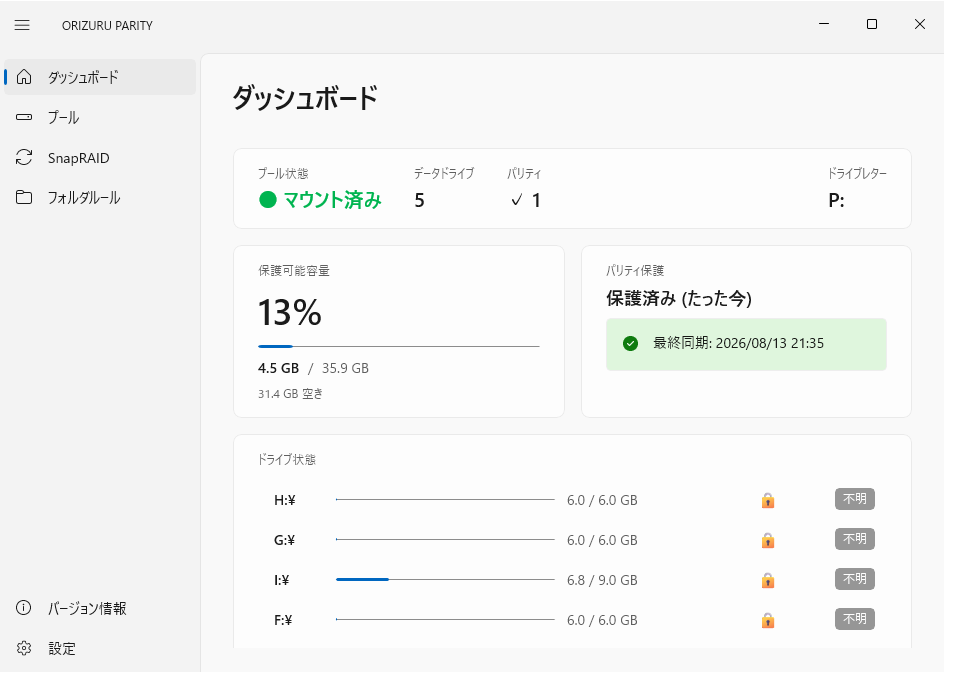
Dashboard — pool and parity status at a glance
Pricing
- One-time purchase. No subscription.
- Free 30-day trial — verify before you buy.
- No extra charges, no feature limits.
- All future updates are free.
Before you buy
Requires the free open-source tools WinFsp and SnapRAID, installed separately (the installer will guide you).